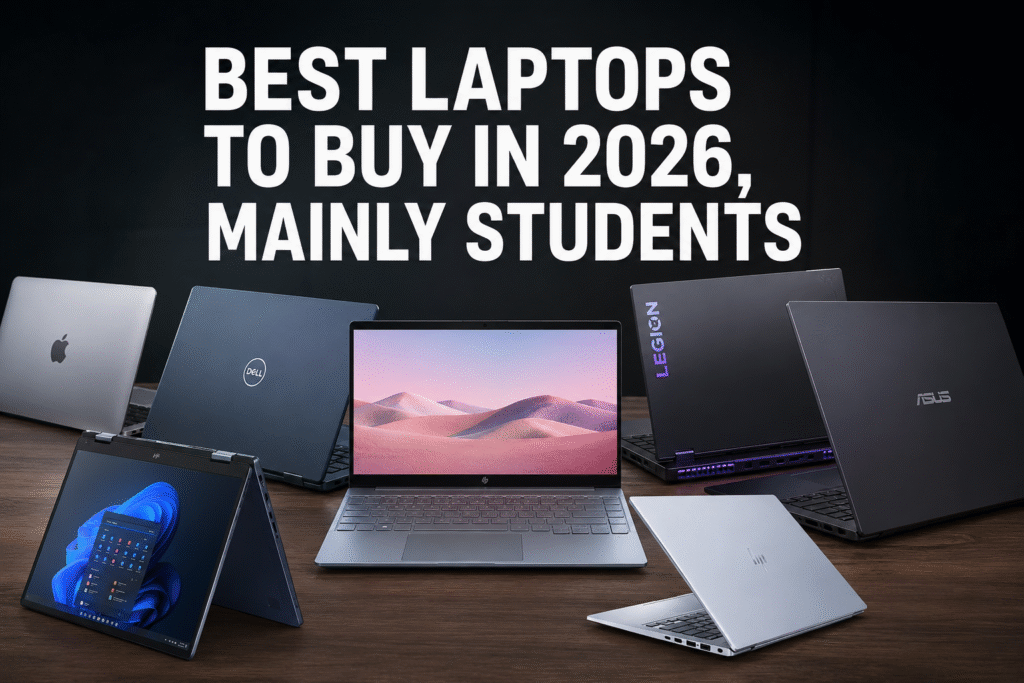

If you’re buying a laptop in 2026, the best choice depends on what you’ll use it for. A good laptop should last 4–7 years, so it’s worth buying for the workload you’ll have over the next few years—not just today’s needs. Based on recent reviews and testing across multiple publications, these are the standout options.
1. Decide your primary use:
| Use | Recommended Specs |
|---|---|
| Web, Office, Study | 16 GB RAM, 512 GB SSD, Intel Core Ultra 5 / Ryzen AI 5 |
| Programming | 16–32 GB RAM, 512 GB–1 TB SSD, Core Ultra 7 / Ryzen AI 7 |
| Engineering (CAD, MATLAB, SolidWorks) | 32 GB RAM preferred, dedicated NVIDIA RTX GPU |
| Video Editing | 32 GB RAM, RTX 4060+, color-accurate display |
| Gaming | RTX 4060 or better, high-refresh-rate display |
| AI/ML | 32–64 GB RAM, RTX 4070+ (more VRAM is better) |
2. Pick a budget:
Under ₹40,000–₹50,000
- Good for students and office work
- Look for:
- 16 GB RAM
- Ryzen 5 or Intel Core i5
- 512 GB SSD
- Avoid buying with only 8 GB RAM if it’s not upgradeable.
₹50,000–₹80,000
This is the best value range for most buyers.
Aim for:
- Intel Core Ultra 5
- AMD Ryzen AI 5/7
- 16 GB RAM
- 512 GB SSD
- Good IPS display
₹80,000–₹1.2 lakh
Ideal for programmers and creators.
You’ll typically get:
- Core Ultra 7 or Ryzen AI 7
- Better displays (OLED options)
- Longer battery life
- Premium build quality
₹1.2 lakh+
Choose this if you need:
- Gaming
- Video editing
- 3D rendering
- AI development
- Professional creative work
3. CPU guide (2026)
Excellent
- Apple M5
- Intel Core Ultra 7/9
- AMD Ryzen AI 7/9
Good
- Intel Core Ultra 5
- AMD Ryzen AI 5
Avoid buying new
- Intel 12th- or 13th-gen Core if similarly priced to newer Core Ultra models
- Ryzen 5000-series unless heavily discounted
- Intel Celeron, Pentium, or N-series for long-term use
4. RAM
- 8 GB: Acceptable if your needs are limited to study, office work, and browsing.
- 16 GB: Recommended minimum in 2026.
- 32 GB: Better for developers, creators, engineering, and multitasking.
- 64 GB: Mainly for AI, virtualization, and professional creative workflows.
If the RAM is soldered, buy enough from the start because upgrades may not be possible.
5. Storage
- 512 GB SSD: Good starting point.
- 1 TB SSD: Recommended if you work with games, videos, or large datasets.
- NVMe PCIe SSDs are much faster than SATA SSDs.
For all kinds of Daily Deals, Join our Telegram Channel : Click Here
6. Display
A great display makes a noticeable difference.
Look for:
- 1920×1200 or higher
- IPS or OLED panel
- 300+ nits brightness
- 100% sRGB (or better) for creative work
- 90–120 Hz refresh rate if you value smoother scrolling or gaming
7. Battery life
For portability, aim for:
- 8–10 hours minimum
- 12–18 hours is excellent
Windows laptops with newer AI-focused processors and Apple silicon generally offer the best battery life.
Note: Performance of the laptop and the Battery life are Inversely proportional. If the performance is Higher then the battery will be drained faster. For example, Video editing, Gaming, 3D rendering, Professional creative work etc,.
Best Laptops for Students & Daily life:
Acer Aspire Lite, AMD Ryzen 3 5300U Processor, 16 GB RAM, 512GB SSD, Full HD
ASUS Vivobook 15, 13th Gen, Intel Core i3-1315U, 16GB RAM, 512GB SSD, FHD
HP 15, 13th Gen Intel Core i3-1315U Laptop (8GB DDR4,512GB SSD)
Lenovo V15 G4 AMD Ryzen 5 7520U 15.6 inch FHD Laptop, AMD Graphics
HP Professional 14 (2026), Intel (i5 14th Gen)
Dell Pro14, Intel Core-5 120U, 8 GB DDR5 RAM, 512 GB New Gen SSD
Samsung Galaxy Book 4 15.6″ Full HD
ASUS Vivobook 15, Smartchoice,Intel Core i5 13th Gen 13420H,16GB RAM, 512GB SSD, FHD
Apple 2026 MacBook Neo 13″ Laptop with A18 Pro chip
Dell 15, 13th Gen Intel Core i5-1334U (16GB DDR4, 512GB SSD)
Lenovo Ideapad Slim 3, 13th Gen Intel Core i7 13620H, 16GB RAM, 512GB SSD
HP Smartchoice Omnibook 5 OLED
Apple 2026 MacBook Air 13″ Laptop with M5 chip
Apple 2026 MacBook Air 15″ Laptop with M5 chip
13th Gen i5 Laptops
8. Graphics:
Integrated graphics are sufficient for:
- Coding
- Office work
- Streaming
- Photo editing
- Light gaming
Choose a dedicated NVIDIA RTX GPU if you plan to:
- Play modern games
- Edit videos
- Use CAD software
- Train AI models
- Render 3D graphics
For all kinds of Daily Deals, Join our Telegram Channel : Click Here
Best Laptops for Video/Photo editing, Creative work & Engineering:
HP Smartchoice Victus, 13th Gen Intel Core i5-13420H, 4GB RTX 3050,16GB (Upgradeable) 512GB SSD
HP Victus, Intel Core 7 240H, 8GB RTX 5050, 24GB DDR5(Upgradeable) 1TB SSD, FHD
HP Omen, AMD Ryzen AI 7 350, 8GB RTX 5050, 24GB DDR5(Upgradeable) 1TB SSD
HP Omen, Intel Core i7-14650HX 14th Gen, 8GB RTX 5050, 24GB DDR5(Upgradeable) 1TB SSD
Apple 2026 MacBook Pro Laptop with M5 Pro chip
ASUS ROG Strix G16,Intel Core Ultra 9 275HX,Gaming Laptop
9. Ports
Look for:
- USB-C with charging support
- USB-A
- HDMI
- Headphone jack
- SD or microSD reader (if needed)
10. Build quality
A good laptop should have:
- Metal or sturdy chassis
- Comfortable keyboard
- Precision touchpad
- Solid hinge
- Good webcam (1080p preferred)
- Fingerprint reader or facial recognition (optional but convenient)
Best Gaming Laptops:
HP Smartchoice Victus, 13th Gen Intel Core i5-13420H, 4GB RTX 3050,16GB (Upgradeable) 512GB SSD
acer Nitro V 15, Intel core i7-13th Gen 13620H,NVIDIA GeForce RTX – 5050 8GB, 16 GB,512 GB,Full HD
Lenovo LOQ, Intel Core i7 13th Gen 13700HX, NVIDIA RTX 5060 8GB, 16GB RAM, 1TB SSD
HP Smartchoice HyperX OMEN 15, AMD Ryzen 7 260, 8GB-RTX 5050, 24GB DDR5 (Upgradeable), 1TB SSD
Lenovo Legion 7 2025 Intel Core Ultra 9 275HX | NVIDIA RTX 5060 8GB (32GB RAM/1TB SSD
Alienware 16 Area-51 Gaming Laptop, AI Enabled Core Ultra 9 275HX Proc, 32GB DDR5, 1TB SSD
11. Common mistakes to avoid
- Buying 8 GB RAM in a non-upgradeable laptop.
- Choosing a 4K display if battery life matters more.
- Paying extra for a touchscreen you’ll rarely use.
- Prioritizing CPU speed while ignoring display quality.
- Buying a gaming laptop if you mostly need portability and battery life.
For all kinds of Daily Deals, Join our Telegram Channel : Click Here